

If you’re writing code with AI agents (and I assume you are if you’re reading this) - one of the biggest headaches is staying organised when working across multiple projects and tasks and possibly even multiple agents.
Personally I use the Codex desktop app for most of my work because this makes it easier. But I still wanted a good solution for when I’m working in the terminal.
Herdr is one great solution to this problem. It’s a fast modern terminal multiplexer that let’s you organise your terminal into workspaces, panes, and tabs. While there are many similar tools (TMUX, CMUX) - there’s something special about Herdr.
Firstly it looks incredible. Secondly it’s crazy fast. But mostly importantly for me - you can use AI agents to control it. I use one coding agent per project that orchestrates running coding tasks.
I keep it simple: one space per project. Inside that space, the first tab holds my primary agent. When I want a new feature, I ask the primary agent - and it opens new tabs, starts worker agents in them, and manages the whole job for me. This is what I call the orchestrator worker pattern. One agent orchestrating other coding agents who do the work. It’s a simple idea, but incredibly powerful.
A non-obvious point: the coordinator and the workers don't have to be the same agent. My coordinator is Claude Code, but it can start Codex, Pi, or OpenCode workers in the other tabs.
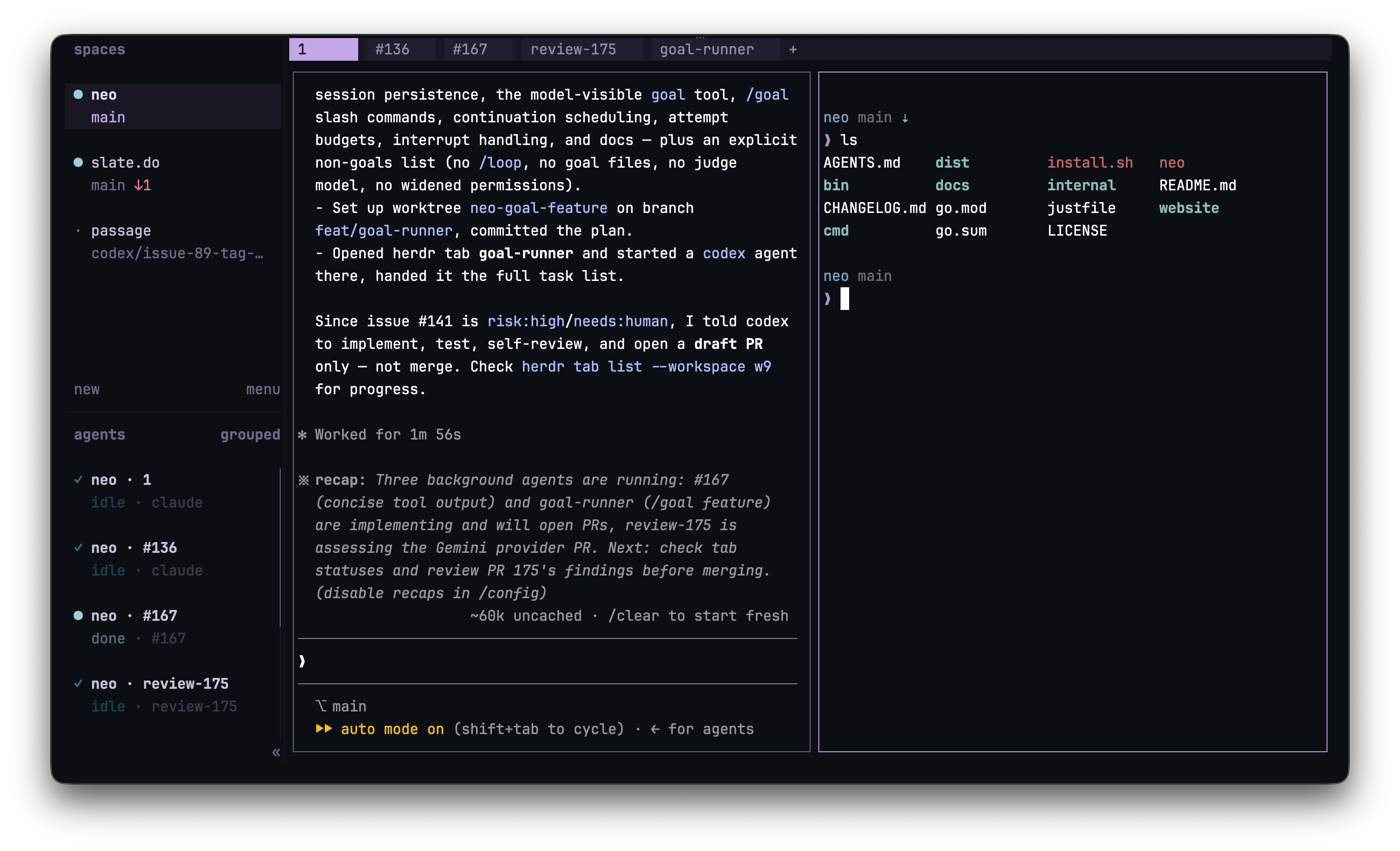
I recently made a video on this where I break down my full setup. In the demo, I use a command that takes a GitHub issue, creates a fresh worktree and branch, opens a new Herdr tab, starts an agent in that tab, sends it the task, and then reports back the tab label and branch name. That means I can kick off several pieces of work without losing track of which agent is doing what.
To make this work - you give your agents a skill - a set of instructions that teaches the agent how to drive Herdr: open tabs, start workers, check on them.
npx skills add ogulcancelik/herdr --skill herdr -gIf you want to try this yourself - I recommend installing Herdr.
Thanks for reading.
PS: I made a skill to take a single Github issue and turn it into a finished PR. Get it free here.
Want to go deeper? Join AI Engineer at aiengineer.co and learn how to build real AI products with agents, workflows, and production-ready patterns.